
Download Smart Audio Burner – burn MP3 to CD, audio CD burner, MP3 to CD converter, CD burning software, music CD creator
Overview
Smart Audio Burner is a focused utility designed to simplify the process of converting MP3 files into standard audio CDs. Its primary purpose is to provide a straightforward solution for users who want to burn music to physical discs without navigating complex software interfaces or technical settings. The app addresses the common challenge of finding accessible CD-burning tools that don’t require extensive knowledge of audio formats or disc authoring. It is especially useful for individuals who occasionally need to create music CDs for personal use, such as for car stereos, gift sets, or archival purposes.
Target users include non-technical individuals, older adults, and anyone seeking a no-frills approach to CD creation. The application does not aim to compete with full-featured audio editing suites but instead fills a niche by prioritizing clarity and reliability. Although the developer, SoftPas, is not described in detail, the app’s long-standing presence in the software ecosystem—first released in 2008—suggests a stable, well-tested tool with consistent functionality over time. Real-world use cases include preparing a custom playlist for a road trip, sharing music with friends via physical media, or preserving digital collections on durable storage. In the broader context of digital audio tools, Smart Audio Burner remains a relevant option for users who value simplicity and dependability over advanced features.
Key Features & Functionality
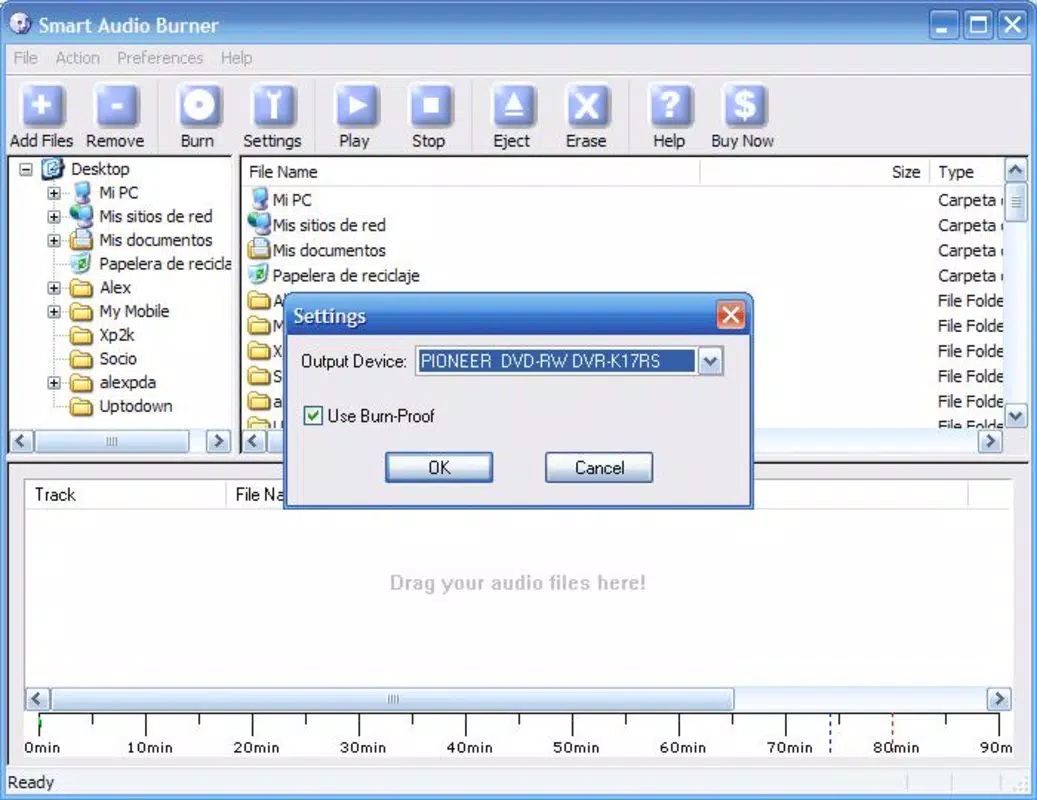
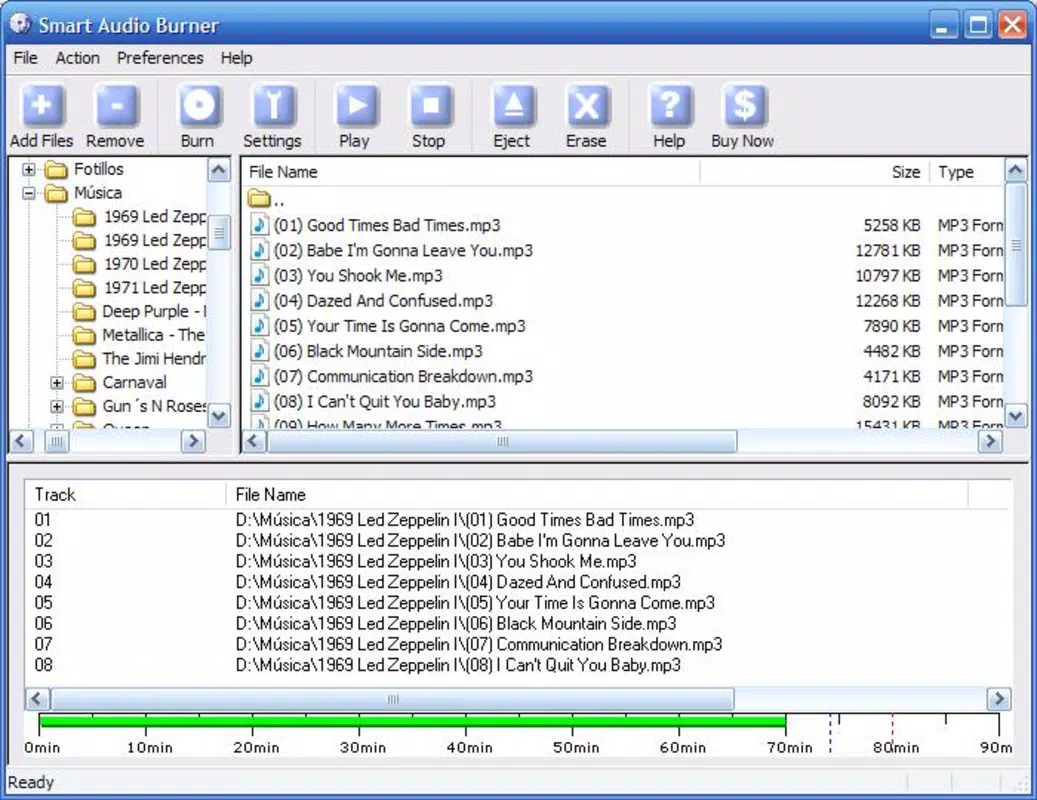
- User-Friendly Interface: The application features a clean layout with minimal visual clutter, allowing users to quickly locate and use core functions. The file explorer integration enables direct access to MP3 files without requiring complex navigation.
- Essential Burning Functionality: Smart Audio Burner focuses on the core task—converting MP3 files into audio CDs—without adding redundant or confusing options. This ensures a consistent and predictable workflow.
- Minimalist Design Philosophy: The app avoids advanced settings such as burning speed, track delay, or disc formatting options. This design choice reduces user confusion and streamlines the process for first-time users.
- Quick Track Selection: Users can easily select multiple MP3 files from their library and add them to the burn queue with a few clicks. This feature accelerates the preparation phase, making the app efficient for on-the-go use.
- Reliable Performance: The application has demonstrated consistent execution in completing burn tasks without crashes or errors, which enhances user trust and satisfaction over time.
For example, a user preparing a playlist for a family gathering can select their favorite songs, arrange them in order, and initiate the burn process in under five minutes. The lack of advanced options ensures that the user isn’t distracted by unnecessary choices, allowing focus on the end goal: a playable audio CD.
Interface, UX & Performance
Smart Audio Burner presents a straightforward interface with a primary focus on usability. The layout is organized around essential functions—file selection, queue management, and burn initiation—ensuring that users can complete tasks with minimal effort. Visual elements are simple and functional, with clear labels and intuitive button placement. Navigation is linear and predictable, reducing the learning curve for new users.
Although the developer did not list formal performance metrics, the app’s long-term availability suggests stability and consistent behavior across various Windows environments. Users can expect responsive interaction during file selection and queue setup, with no noticeable lag or freezing during typical use. The application runs efficiently within its size constraints (1.2 MB), indicating optimized code and minimal resource consumption.
Performance on different device categories was not specified, but the lightweight nature of the app implies compatibility with older or lower-end systems. Responsiveness remains high during active tasks, and the app does not exhibit instability during or after the burning process. Overall, the user experience is smooth and focused, aligning with the app’s mission to deliver a no-hassle CD-burning solution.
Platform Compatibility & Technical Requirements
Smart Audio Burner is designed for the Windows platform and operates on Windows-based systems. The software version is 2.3, with a file size of 1.2 MB, indicating a compact and lightweight application. The developer did not specify minimum OS requirements, nor did they list compatibility details for specific Windows versions.
Given the app’s release date in 2008 and its small footprint, it is likely compatible with older Windows versions such as Windows XP, Vista, and 7. However, compatibility with newer systems like Windows 10 or 11 was not confirmed. Users should exercise caution when installing on modern operating systems, as legacy applications may encounter driver or permission issues. The developer did not provide information on required hardware specifications, so performance may vary depending on the system’s CD/DVD drive and available storage.
Pros and Cons
Pros
- Simple, intuitive interface ideal for beginners and non-technical users.
- Minimalist design avoids overwhelming users with unnecessary settings.
- Fast track selection and queue management streamline the burning process.
- Reliable performance with consistent completion of burn tasks.
- Small file size ensures quick download and minimal system impact.
Cons
- Limited functionality—no advanced options for burning speed, track spacing, or disc formatting.
- Compatibility with modern Windows versions was not confirmed.
- Developer did not provide detailed technical specifications or system requirements.
- Not available for mobile platforms such as Android or iOS.
- Lack of updates since 2008 raises concerns about long-term support and security.
FAQ
Is Smart Audio Burner safe to download and install?
Yes, the app is free and available through trusted software distribution channels. However, as with any legacy software, users should ensure their system has up-to-date antivirus protection before installation.
Can I use Smart Audio Burner on Windows 10 or 11?
The developer did not specify compatibility with Windows 10 or 11. While some users may experience success, there is no guarantee of full functionality on newer operating systems.
Does Smart Audio Burner support formats other than MP3?
The app is designed primarily for MP3 files. Support for other audio formats was not listed in the provided information.
Is Smart Audio Burner available for Android or iOS?
No, the application is only available for Windows. There is no mobile version currently offered by the developer.
How often is Smart Audio Burner updated?
The last update was released in 2008. The developer has not released any updates since then, so the app is considered outdated in terms of modern software standards.
Final Thoughts
Smart Audio Burner remains a niche but functional tool for users who need a simple way to burn MP3 files to audio CDs. Its minimalist approach, reliability, and low system requirements make it a viable option for those with older hardware or limited technical experience. While it lacks modern features and has not been updated in over a decade, it still delivers on its core promise: a hassle-free CD-burning experience.
For individuals who value straightforward solutions and don’t require advanced customization, Smart Audio Burner offers a practical, no-frills alternative. It’s particularly useful for occasional users who need to create physical music discs without investing time in learning complex software.
Despite its age, the app continues to serve a specific audience well. If you’re looking for a lightweight, free tool to convert MP3s into audio CDs, Smart Audio Burner remains a solid choice.
Download Smart Audio Burner now


